Who's picking up today? Who has practice today? Any time for the park? Who's driving back?

Familoosh knows. The family assistant that sorts out your schedule, and even tells you what's missing.

The pilot is open now, and free.

Sound familiar?

  • Who's picking Elad up from practice? When will we finally sort this out and stop forgetting…07:42
  • Scout trip! Mom, what do I need to bring? What time is it? Did you wash my uniform?13:15
  • Wait, they both have practice at the same time? Who's free to drive?16:58
  • Mom, I want to go to a friend's on Wednesday at 17:00. Can you take me?19:30
  • When will I have time to work out this week?22:10

All these questions. One answer.

  • An organized family schedule
  • Rides sorted
  • Free time
  • No duplicates

You live. We sort it out.

Everything the family needs to remember. Without anyone having to remember it.

From message to event, no typing

Write it the way you'd say it, paste a message or attach a screenshot. Familoosh pulls out the details and shows them to you for review. Nothing is saved until you confirm.

“Zoom Arabic lesson Thursday at 7 for Osnat”
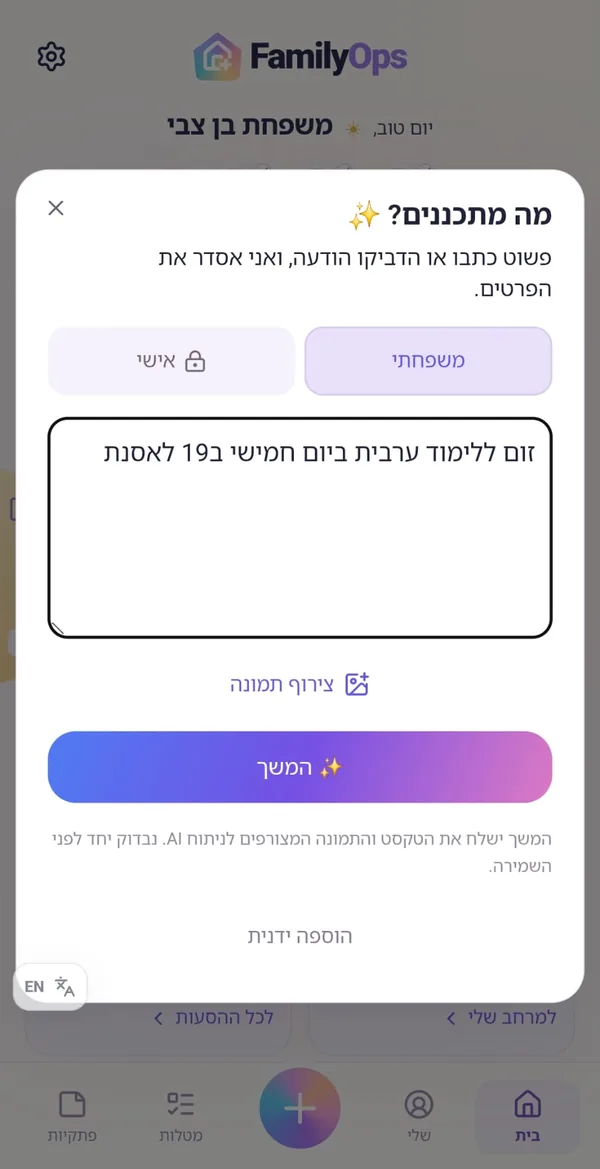
The app's “What's the plan?” screen (in Hebrew), with a typed note about a Zoom Arabic lesson on Thursday at 7

One schedule, a color for everyone

Day, week or month. Every family member gets their own color, family and personal events sit side by side, and you can add everything to your phone's calendar, Google or iPhone.

Screenshot: month view
(waiting for file)

Rides that don't fall through the cracks

Every ride waits for a driver until someone takes it, and everyone can see what's still open. And events can carry a gear list, so the cleats make it to practice, not just Ariel.

Screenshot: day view with rides to assign
(waiting for file)

Wait, isn't that already on the calendar?

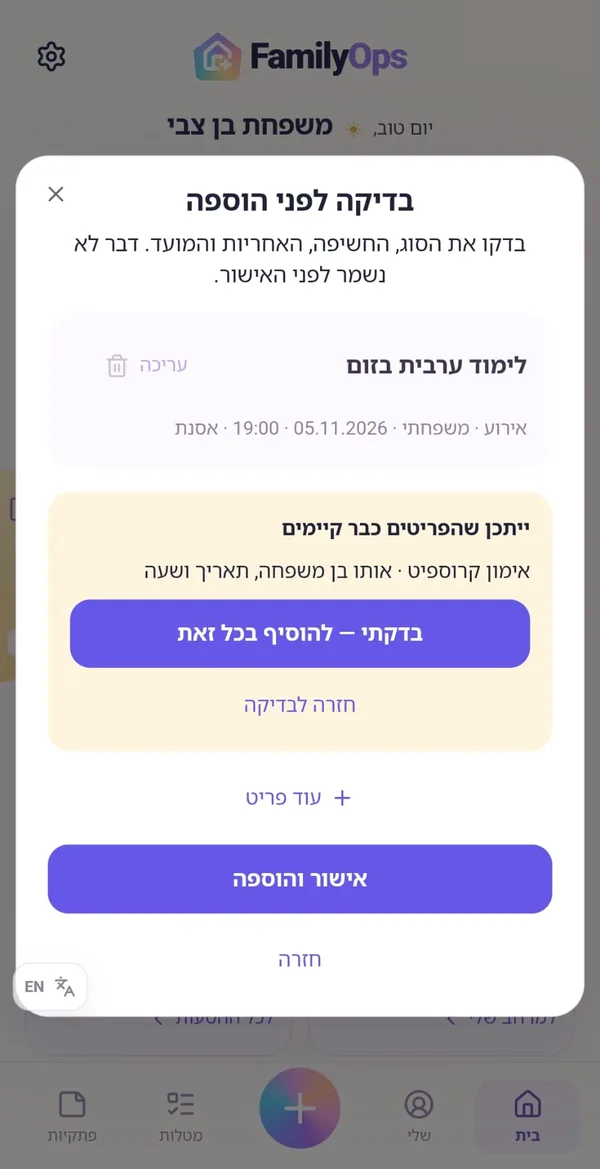
Before anything is added, Familoosh checks for an existing event for the same family member on the same day and time. No duplicates, and you catch clashes before they happen.

The app's “Check before adding” screen (in Hebrew), warning that a CrossFit session may already exist for the same family member, date and time

Our board, and my corner

Family sticky notes for household tasks, with checklists and who's on what. And next to them, a personal corner: what's set for me today, and what's still waiting for me someday.

Screenshot: our board
(waiting for file)

How to start

  1. Join the pilot

    A short form below. Takes a minute.

  2. Get a link

    Open Familoosh on your phone and add your family members.

  3. Paste your first message

    The one that's been waiting in the group since yesterday.

Help us build it

We're looking for busy families to try Familoosh in real life: activities, rides and last-minute changes.

What you get

  • Full access to the app, free throughout the pilot
  • A direct line to us. What you tell us shapes what we build

What we ask

  • Use it day to day
  • Tell us what works, what doesn't and what's missing

Running a schedule across two homes? We'd especially love to hear from you.

Sign up for the pilot

The sign-up form goes here. Fields:
  • Name
  • Email or phone
  • Number of kids and their ages
  • iPhone or Android

Before sending, please read our privacy policy.

Questions

How much does it cost?

During the pilot: nothing.

Which phones does it work on?

iPhone and Android.

What happens to the message I paste?

The text or image is sent for AI analysis to pull out the details: what, when and for whom. You see the result and confirm it. Nothing is saved before you do.

Does it sync with my calendar?

Yes. You can add events to your phone's calendar, Google or iPhone.

Does everyone in the family see everything?

When you add something, you choose whether it's family or personal.

Is it available in Hebrew?

Yes. You can switch between Hebrew and English inside the app.